
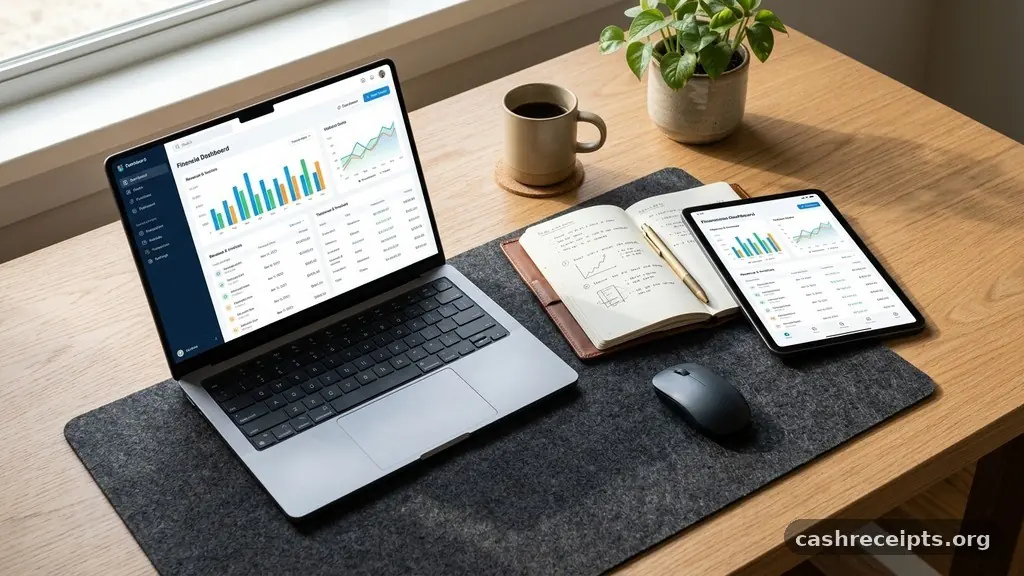
Mastering the process of how freelancers can keep better records of client payments is essential for maintaining a healthy business. When you operate independently, the responsibility for financial accuracy rests entirely on your shoulders. Without a reliable system, you risk missing revenue, delaying tax filings, or damaging professional relationships with your patrons.
By implementing consistent habits early, you turn a chaotic pile of receipts into a clear roadmap for your career growth. This article provides actionable steps to help you organize your finances, minimize stress, and gain full visibility into your earnings.
Establishing a Centralized Financial Hub
The first step in learning how freelancers can keep better records of client payments is to stop relying on fragmented methods like sticky notes or unorganized email threads. You need a single, dedicated location for every transaction.
Whether you choose professional accounting software or a meticulously maintained spreadsheet, the goal is to have one source of truth. Relying on your memory or a physical notebook often leads to lost data and missed deadlines.
When you centralize your data, you gain the ability to spot patterns in your income. You can quickly see which clients pay on time and which ones require frequent reminders.
This visibility is vital for cash flow management, especially during slower months. If you use a spreadsheet, ensure you include columns for the invoice date, the amount due, the status of the payment, and the date the funds actually hit your account.
For those scaling their business, dedicated software like IRS small business resources can provide context on tax obligations while you manage your books. Many platforms now offer automated tracking that syncs directly with your bank account.
This eliminates the need for manual entry, which is where most human errors occur. Even if you prefer manual tracking, consistency is more important than the complexity of your tools.
Standardizing Your Invoicing Process
Inconsistent invoices are a major cause of payment delays. If your invoices lack clear details, clients may struggle to process them, leading to confusion and follow-up emails.
Every invoice you send should contain the same core information to ensure it is easily tracked in your records. This includes a unique invoice number, a clear description of the services provided, and a defined due date.
Standardization makes it significantly easier to reconcile your records at the end of the month. If every invoice follows the same naming convention, such as “YYYY-MM-DD-ClientName-Invoice001,” you can search your digital files in seconds.
This level of organization prevents the common problem of wondering whether a specific job has been billed or paid. When your records are clean, your administrative time drops significantly.
Consider implementing a strict policy for late fees and payment terms. Clearly stating that payment is due within 15 or 30 days sets expectations from the start of the relationship.
When a client knows exactly when the money is due, they are less likely to push the invoice to the bottom of their inbox. Your records should reflect these terms, allowing you to flag overdue accounts the moment a deadline passes.
Categorizing Income and Expense Streams
To truly understand how freelancers can keep better records of client payments, you must distinguish between different types of income. Not every payment is identical; some come from one-off projects, while others might be recurring retainers.
Categorizing these streams allows you to see which areas of your business are the most profitable. This data helps you decide where to focus your marketing efforts for future work.
Tracking your business expenses alongside your income is equally important for accurate bookkeeping. You cannot determine your net profit if you only track what comes in.
Use separate categories for software subscriptions, equipment purchases, travel, and marketing costs. Keeping these records distinct ensures you are prepared for tax season and helps you monitor your burn rate.
Many freelancers find it useful to maintain a simple table to compare their monthly performance. This allows for a quick visual check of your financial health. Below is a template you can adapt to your own business needs to track incoming revenue across different project types.
| Month | Project Type | Amount Invoiced | Status |
|---|---|---|---|
| January | Web Design | $2,500 | Paid |
| February | Copywriting | $1,200 | Pending |
| March | Consulting | $3,000 | Paid |
Utilizing Automated Payment Reminders
One of the most effective ways to manage your cash flow is to automate the follow-up process. Chasing payments is often the most stressful part of freelancing, but it doesn’t have to be personal.
By using automated reminders, you remove the emotional burden of asking for money. Most modern invoicing platforms allow you to schedule gentle nudges that go out automatically if a payment is late.
These reminders can be tailored to suit your brand voice. You might send a friendly note three days before the due date, followed by a formal notice the day after the deadline.
This proactive approach ensures that client payments remain on their radar without you having to manually send dozens of emails. Your records should show when each reminder was sent, providing a clear audit trail if a payment becomes significantly overdue.
Automation also acts as a safety net for your record-keeping. Because the system tracks the communication, you don’t have to worry about whether you remembered to send a follow-up.
It keeps your workflow moving and ensures that you are constantly updated on the status of your outstanding invoices. This system gives you more time to focus on your creative work rather than administrative tasks.
Maintaining Digital and Physical Backups
Data loss is a nightmare for any business owner. If your only records of client payments exist on a single laptop or a physical folder, you are at risk of losing months of work.
Always maintain at least two backups of your financial data. Cloud storage solutions are ideal for this, as they automatically sync your files and allow for easy recovery if your local machine fails.
Physical receipts for business expenses should also be digitized immediately. Use scanning apps to turn paper receipts into PDFs that you can store alongside your digital invoices.
This practice not only keeps your records organized but also saves massive amounts of time during tax season. When your accountant asks for a specific receipt, you can find it instantly rather than digging through shoeboxes.
Organize your digital folders by year and by client name. This hierarchical structure makes it easy to locate historical information when needed.
For instance, if a client questions a payment from six months ago, you can pull up the specific invoice and the corresponding bank transaction in seconds. This level of professionalism builds trust and demonstrates that you run your business with care.
Integrating Banking and Accounting Systems
The most advanced way to handle your records is to integrate your business bank account directly with your accounting software. This connection allows for real-time tracking of every payment as it enters your account.
When a client pays an invoice, the system can automatically match the deposit to the outstanding balance. This feature is a game-changer for reducing manual data entry and preventing errors.
Integrating these systems also provides a clearer picture of your actual cash flow. You no longer have to wait until the end of the month to reconcile your books.
You can check your dashboard at any time to see exactly how much money is available for business expenses or personal salary. This transparency helps you make informed decisions about when to invest in new tools or when to take on more work.
Be sure to keep your business and personal finances strictly separate. Using a dedicated business bank account simplifies your bookkeeping and makes it much easier to track expenses.
If you use a personal account for business, you will inevitably end up with a mix of transactions that are difficult to untangle. Clear separation is a fundamental requirement for anyone serious about professionalizing their freelance career.
Developing a Monthly Reconciliation Routine
Even with the best tools, you must set aside time for a monthly review. This ritual is where you confirm that your records match your bank statements.
During this time, look for any discrepancies, such as missing payments or unexpected bank fees. This process ensures that your financial data is always accurate and ready for tax filing.
Create a checklist for your monthly review to keep yourself focused and efficient. Your routine should include the following steps:
- Verify that all invoices issued during the month are marked as paid or pending.
- Review bank statements to ensure every deposit matches an expected invoice.
- Categorize any uncategorized transactions from your bank feed.
- Check for outstanding invoices that are more than 30 days late.
- Update your budget to reflect your actual income and expenses for the month.
Taking this time once a month prevents small errors from snowballing into larger problems. It also gives you a moment to celebrate your successes and identify areas where you can improve your efficiency.
When you know your numbers, you feel more in control of your business. This confidence translates into better communication with your clients and a more sustainable career.
Frequently Asked Questions
How often should I check my payment records?
You should perform a quick check of your payment status at least once a week to ensure nothing is slipping through the cracks. A more thorough reconciliation should be performed at the end of every month.
What is the best way to handle cash payments?
If you accept cash, you must log it immediately in your ledger with the date, the client name, and the project description. Then, deposit the cash into your business bank account as soon as possible to maintain a clear paper trail.
Should I use a separate bank account for taxes?
Yes, it is highly recommended to keep a separate savings account for your tax obligations. Aim to set aside a percentage of every payment you receive so you are never caught off guard when tax season arrives.
What if a client refuses to pay an invoice?
First, review your contract to ensure the terms were clear. Send a formal, polite follow-up email outlining the overdue amount and the original deadline. If they still refuse, you may need to consult with a professional regarding legal options or debt collection.
Can I use Excel for my bookkeeping?
Yes, Excel or Google Sheets can be very effective for tracking payments if you are diligent about updating them. As your business grows, however, you may find that dedicated accounting software saves you more time and reduces the risk of manual errors.
Final Thoughts
Learning how freelancers can keep better records of client payments is not just about avoiding tax penalties; it is about building a professional foundation for your business. When you treat your finances with the same care as your creative work, you signal to your clients that you are a reliable partner. By centralizing your data, automating your follow-ups, and committing to a consistent review schedule, you gain the clarity needed to grow your income.
Start small today by choosing one tool to house your records and stick with it. With time, these habits will become second nature, allowing you to focus on the work you love while your finances run smoothly in the background.